


No items found in your cart!
No items found in your cart!
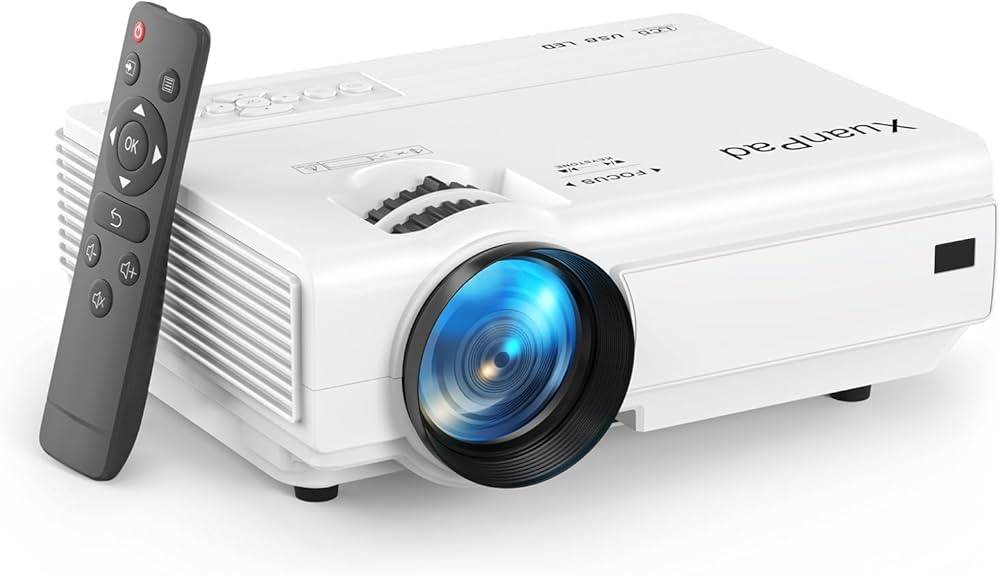
 you definitely can not afford to miss this. READ HERE https://www.goglowonline.com/view-post.php?post_id=193, Thanks for always taking out time to read through our blog posts @ Goglow Limited! We are Happy that you enjoy it!&image=<img src='https://www.goglowonline.com/upload/1782550196Projector Cleaning Tips and Maintenance Guide.jpg'/>) |
|
|
|
|
|
|
|
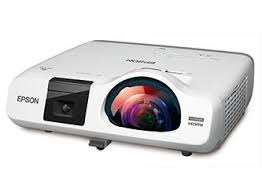
Projectors are important devices for schools, offices, churches, training centers, cinemas, and even home entertainment. Whether you use a projector for teaching, presentations, movie nights, or business meetings, proper cleaning and maintenance can help your projector last longer and perform better.
Many people only remember their projector when it starts showing blurry images, overheating, displaying dark spots, or making loud fan noise. In most cases, these problems happen because the projector was not properly maintained.
In this guide by Goglow Online, you will learn practical projector cleaning tips, proper maintenance routines, and common mistakes to avoid.
What is Projector Maintenance?
Projector maintenance simply means taking proper care of your projector to keep it working efficiently for a long time.
Maintenance includes:
Good maintenance helps prevent damage and saves money on expensive repairs.
Why Projector Maintenance is Important
Proper maintenance offers many benefits:
1. Better Image Quality; A clean projector produces brighter and clearer images.
2. Longer Lifespan; Regular maintenance helps the projector lamp and internal components last longer.
3. Prevents Overheating; Dust can block airflow and cause overheating. Cleaning prevents this problem.
4. Saves Repair Costs; Minor cleaning and maintenance can prevent major faults.
5. Improves Performance; The projector runs more smoothly and quietly when properly maintained.
Common Problems Caused by Poor Maintenance
When a projector is not maintained properly, you may notice:
Most of these issues can be reduced through regular cleaning.
Essential Projector Cleaning Tools
Before cleaning your projector, prepare these items:
Avoid using:
Important Safety Tips Before Cleaning
Before cleaning your projector:
How to Clean a Projector Properly
1. Clean the Exterior Body
Use a soft dry cloth to wipe the outer body of the projector.
This removes:
Do not spray liquid directly on the projector body.
2. Clean the Projector Lens
The lens is one of the most sensitive parts of the projector.
Steps:
Avoid:
A dirty lens can make your display blurry or dull.
3. Clean the Air Filters
Most projectors have air filters that trap dust.
When filters become blocked:
Steps:
Clean filters at least once every few weeks if the projector is used regularly.
4. Clean the Ventilation Areas
Dust usually gathers around cooling vents.
Use:
Blocked vents reduce airflow and increase overheating risk.
How Often Should You Clean Your Projector?
Cleaning frequency depends on usage.
For environments with much dust, more frequent cleaning is recommended.
Projector Lamp Maintenance Tips
The projector lamp is one of the most expensive components.
To protect the lamp:
Proper Projector Storage Tips
If you are not using the projector for some time:
Proper storage prevents internal damage.
Common Projector Maintenance Mistakes to Avoid
Signs Your Projector Needs Professional Servicing
Sometimes cleaning alone is not enough.
Seek professional help if you notice:
Professional servicing helps prevent further damage.
Tips to Extend the Life of Your Projector
WRITER'S POV
A projector is an investment, and like every electronic device, it requires proper care. Regular cleaning and maintenance improve image quality, prevent overheating, reduce repair costs, and extend the life of the projector.
Whether you use your projector for business, education, church services, training, or entertainment, developing a proper maintenance routine is very important.
At Goglow Online, we encourage users to take good care of their devices to maximize performance and durability.
.jpg)
.jpeg)

.jpeg)

 Categories
 Magnetic White Boards
 Printers
 Television/Monitor
 Phone Accessories
 Laptop Accessories
 Home & Office
.jpeg)



 Groceries
 Laptops
 Projectors
 Magnetic Chalk Boards
 Office Pin/Notice Boards
 Smartphones
 Photocopiers
 Projector Accessories
 Classroom
 Office Accessories
 Musicals
 Electronics
 Fashion
 Home & Kitchen
 Health & Beauty
 Digital Camera